F5 Application Connector Install Guide with Screenshots > F5 Application Connector Install Guide with Screenshots Index

1. Create Required Virtual Networks (Vnet), Subnets, and Network Security Group (NSG)

The vnets and subnets created here will be used for connectivity between all components.

  1. In the hub menu, select the Vnet icon and create a Vnet.

    task-1-1

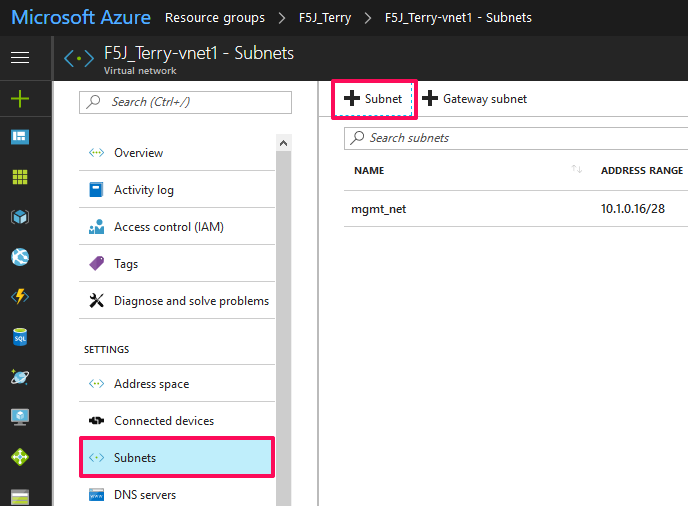
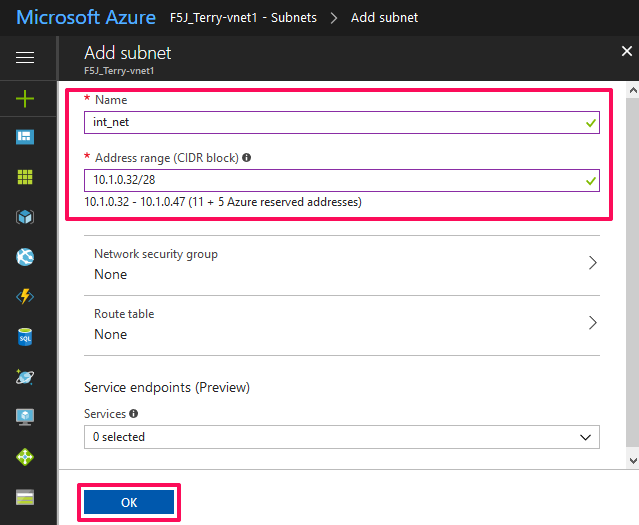
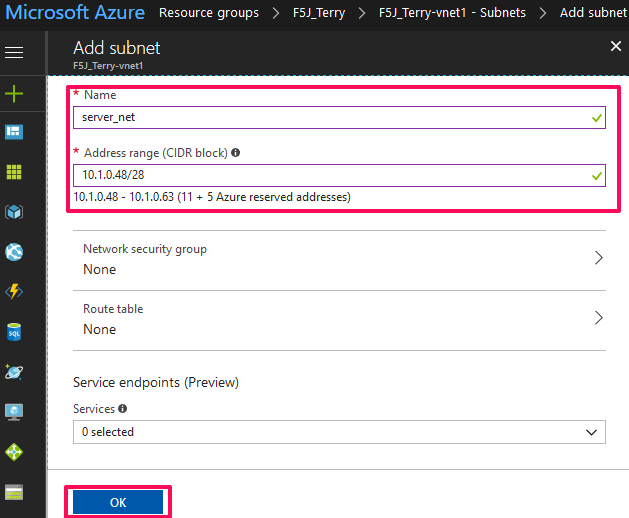
  2. After creating the Vnet, add three more subnets for

    internal, external, and server networks like below.

    task-1-2

    task-1-3

    task-1-4

    task-1-5

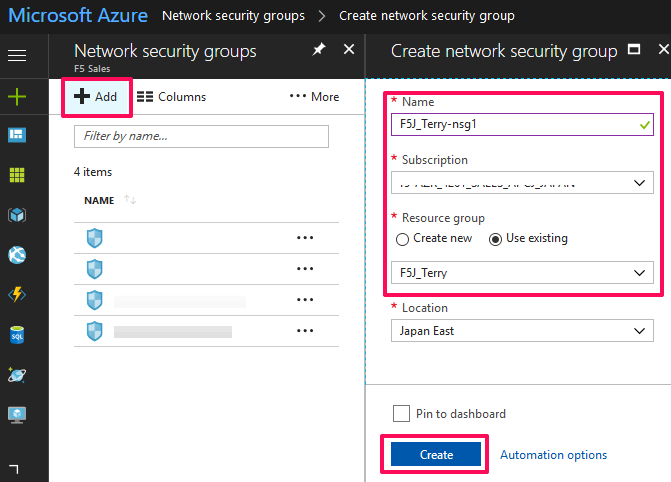
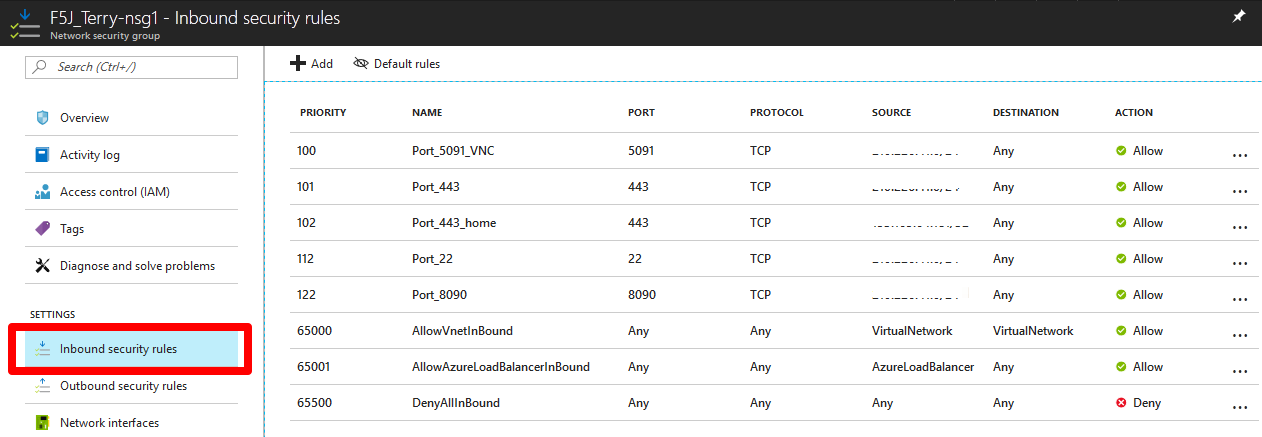
  3. In the hub menu, search for NSG to create the Network Security Group to configure

    external management access to your Azure instances. NSG’s provide isolation and protection of network traffic in your cloud environment.

    task-1-6

    task-1-7

  4. Modify your NSG to allow traffic to ports 443, 22, 5091 (VNC), etc. to your instances

    as necessary.

    task-1-8